
How to Make a Credit/Debit Card Payment
We use 2Checkout.com (now Verifone) to process Credit/Debit Card payments. Please follow the instructions below to ensure a smooth payment experience.
Steps to Make a Credit/Debit Card payment:
- On the Caribonix invoice page, select the Credit/Debit Card option.
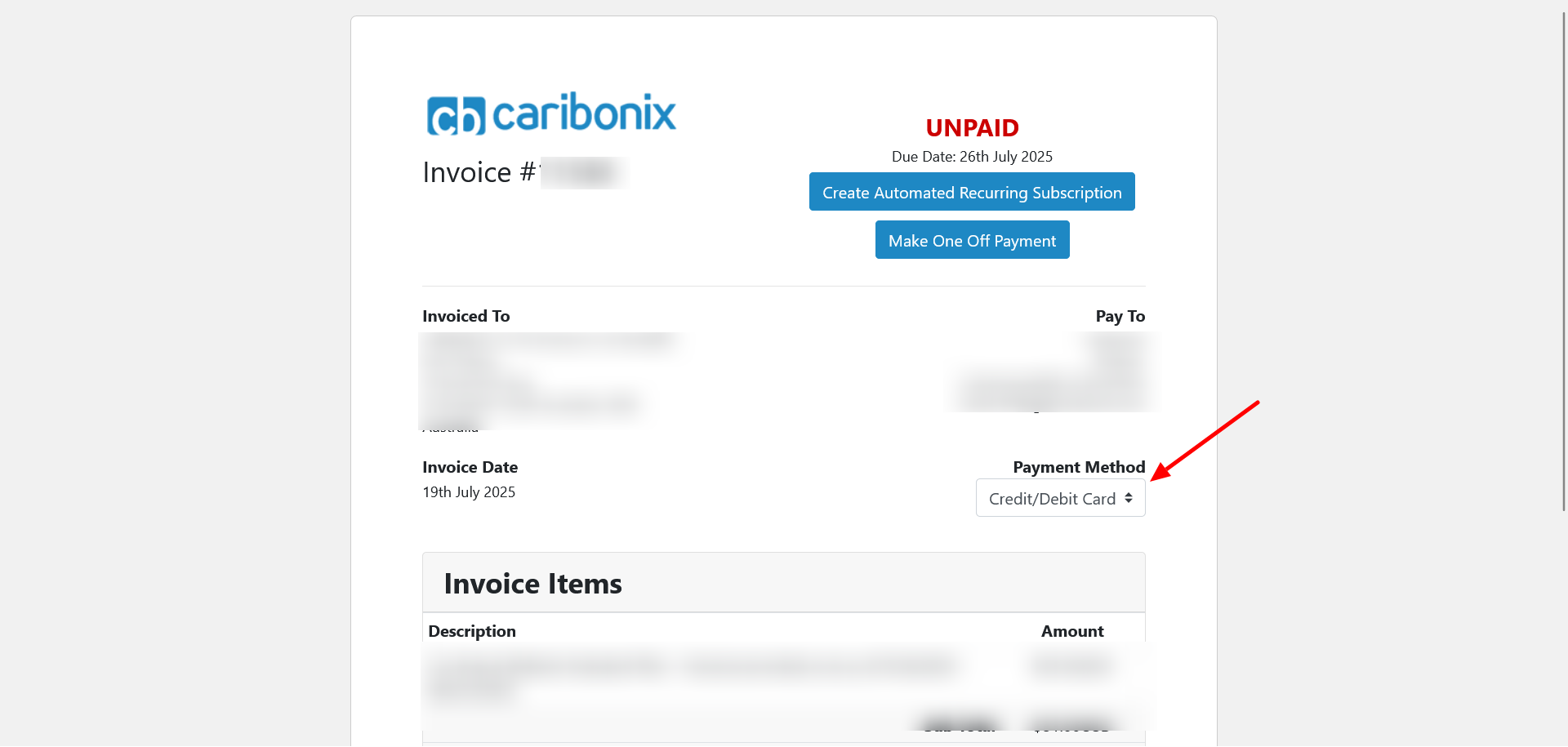
This will redirect you to the 2Checkout.com payment page.
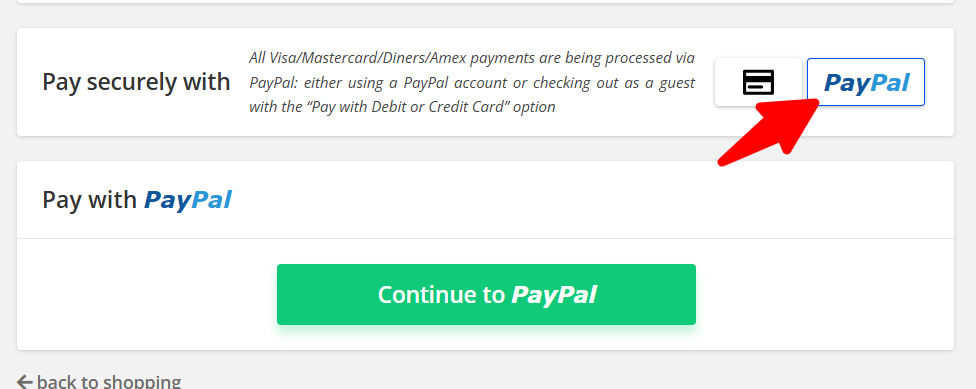
Note: 2Checkout.com processes all Visa, MasterCard, Diners, and Amex payments through PayPal.com.
- On the 2Checkout.com payment page:
- Ensure the PayPal option is selected (if not already pre-selected).
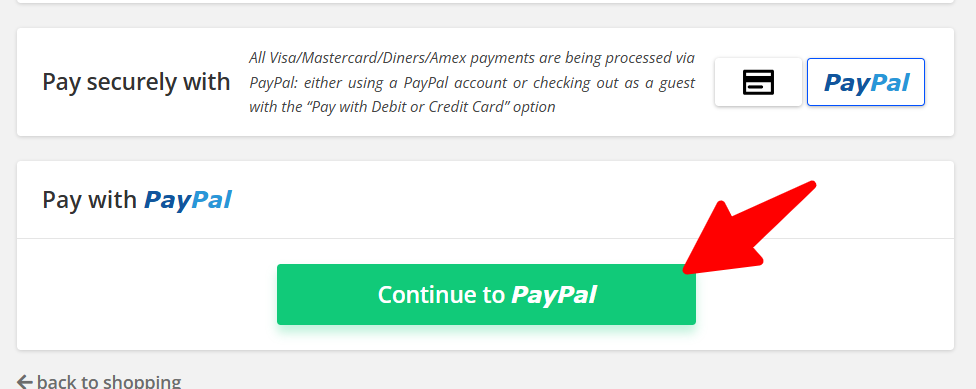
- Click the “Continue to PayPal” button.
- On the PayPal page:
- Click the “Pay with Debit or Credit Card” (or similar) button.
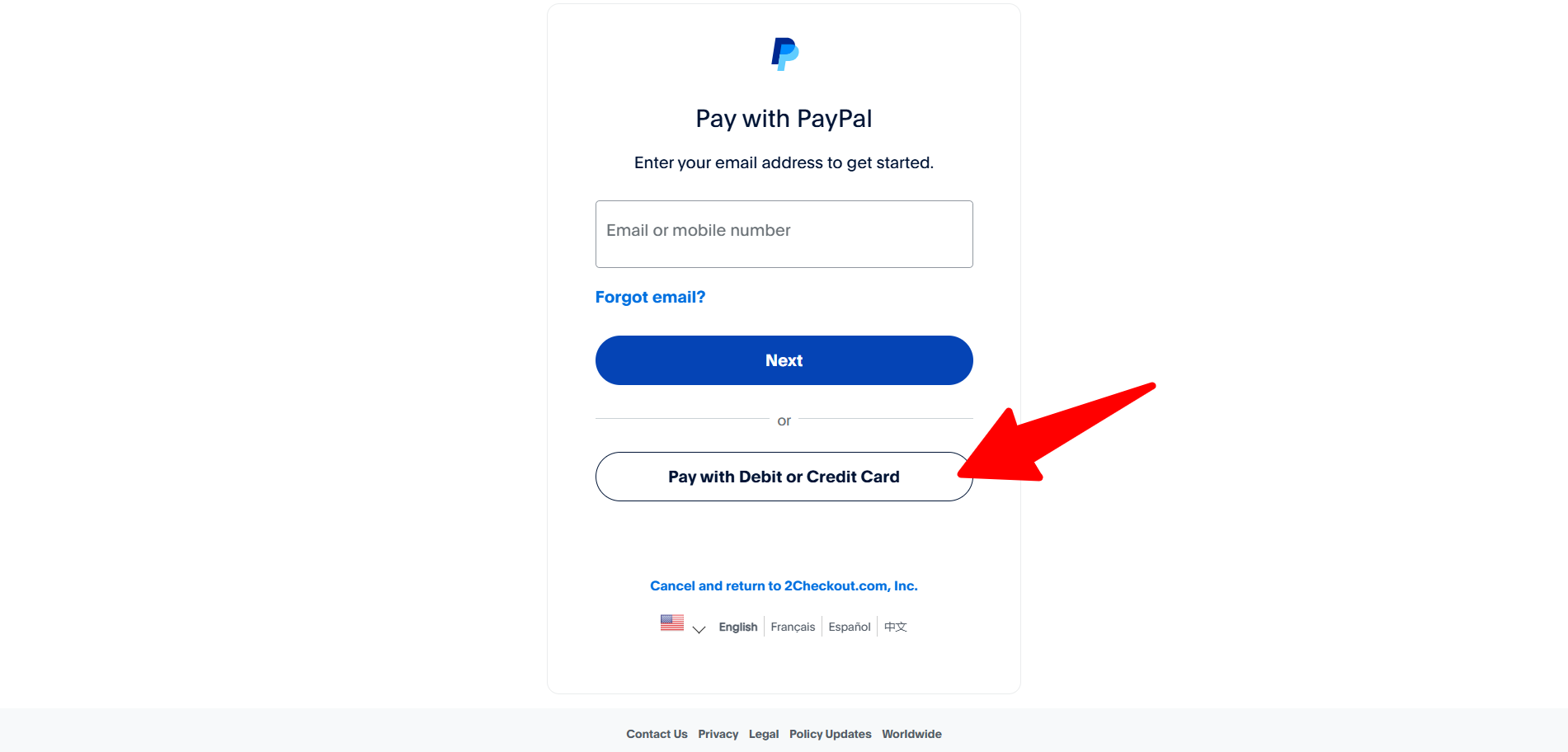
You should have the option to continue as a guest without logging into PayPal.
- Enter your Credit/Debit Card details and proceed with the payment.
Troubleshooting:
If you encounter any errors, please take a screenshot and contact us for assistance.