
How to Add a New Payment Method (Credit/Debit Card)
At Caribonix, adding a new payment method is simple and secure. You can safely store your credit or debit card for one-time or recurring payments. For your protection, card details are not stored on our system—they are securely handled by our payment processor, Stripe.
Follow the steps below to add your card to your account.
Step 1: Log in to Your Account
Sign in to your Caribonix Client Billing Area using your login credentials.
Step 2: Go to Payment Methods
From the main menu at the top of the page:
- Click Billing
- Then select Payment Methods
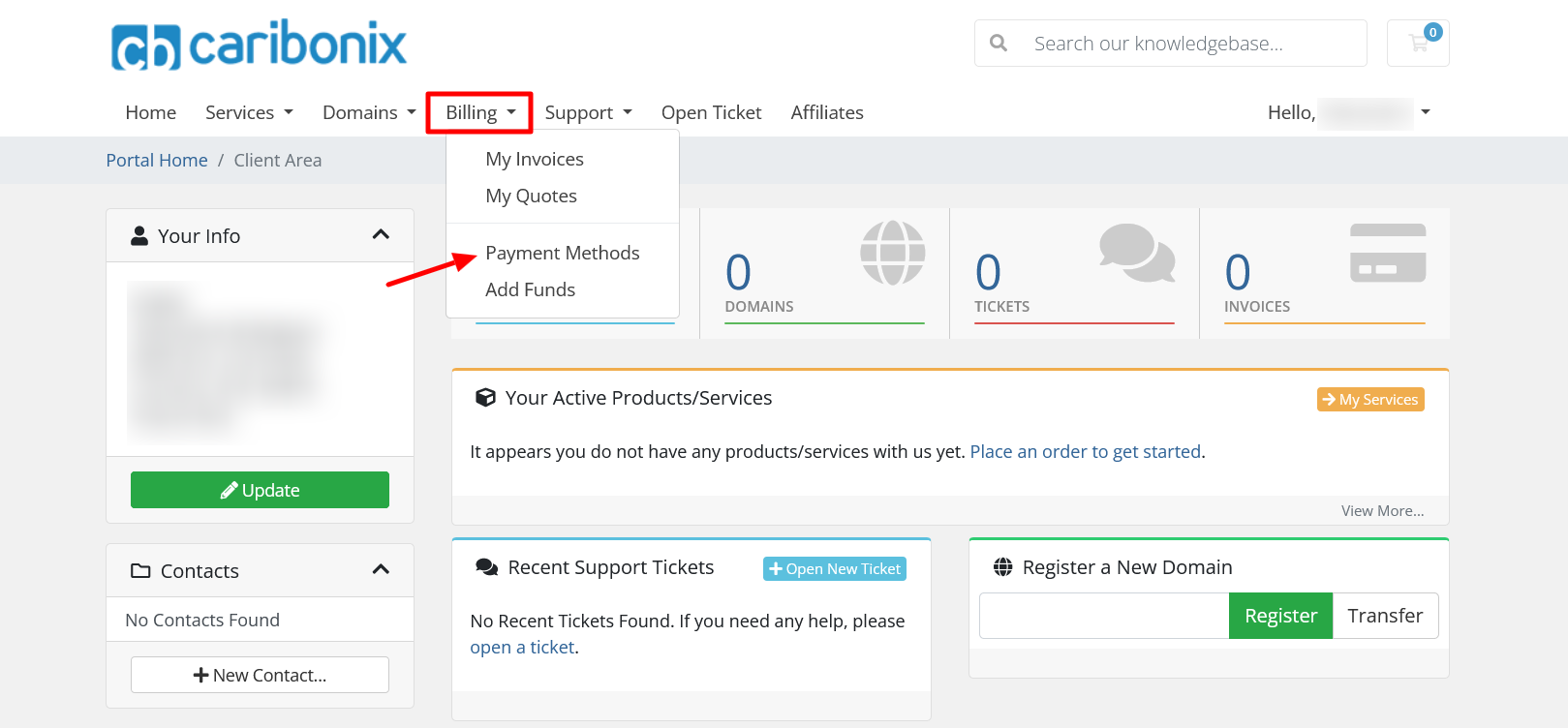
This will take you to the Payment Methods page.
Step 3: Add a New Credit/Debit Card
On the Payment Methods page:
- You’ll see a list of any existing payment methods (if none exist, it will say “No payment methods have been created yet”)
- Click the “Add New Credit Card” button
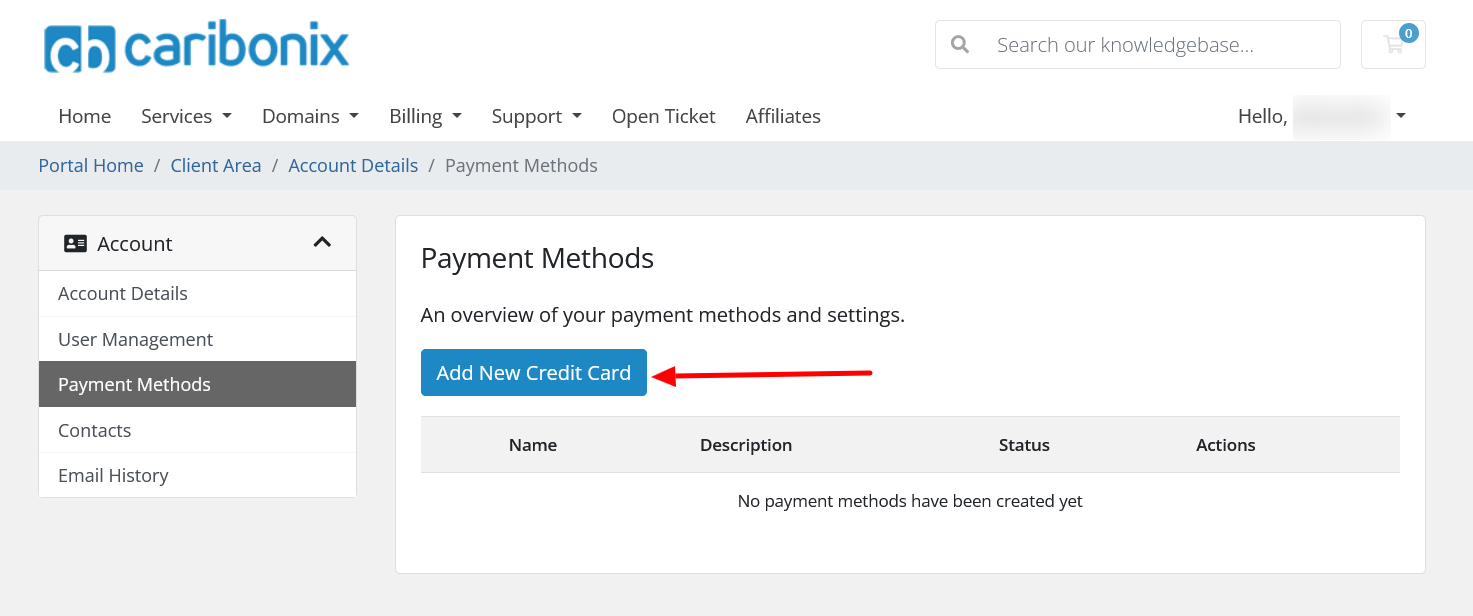
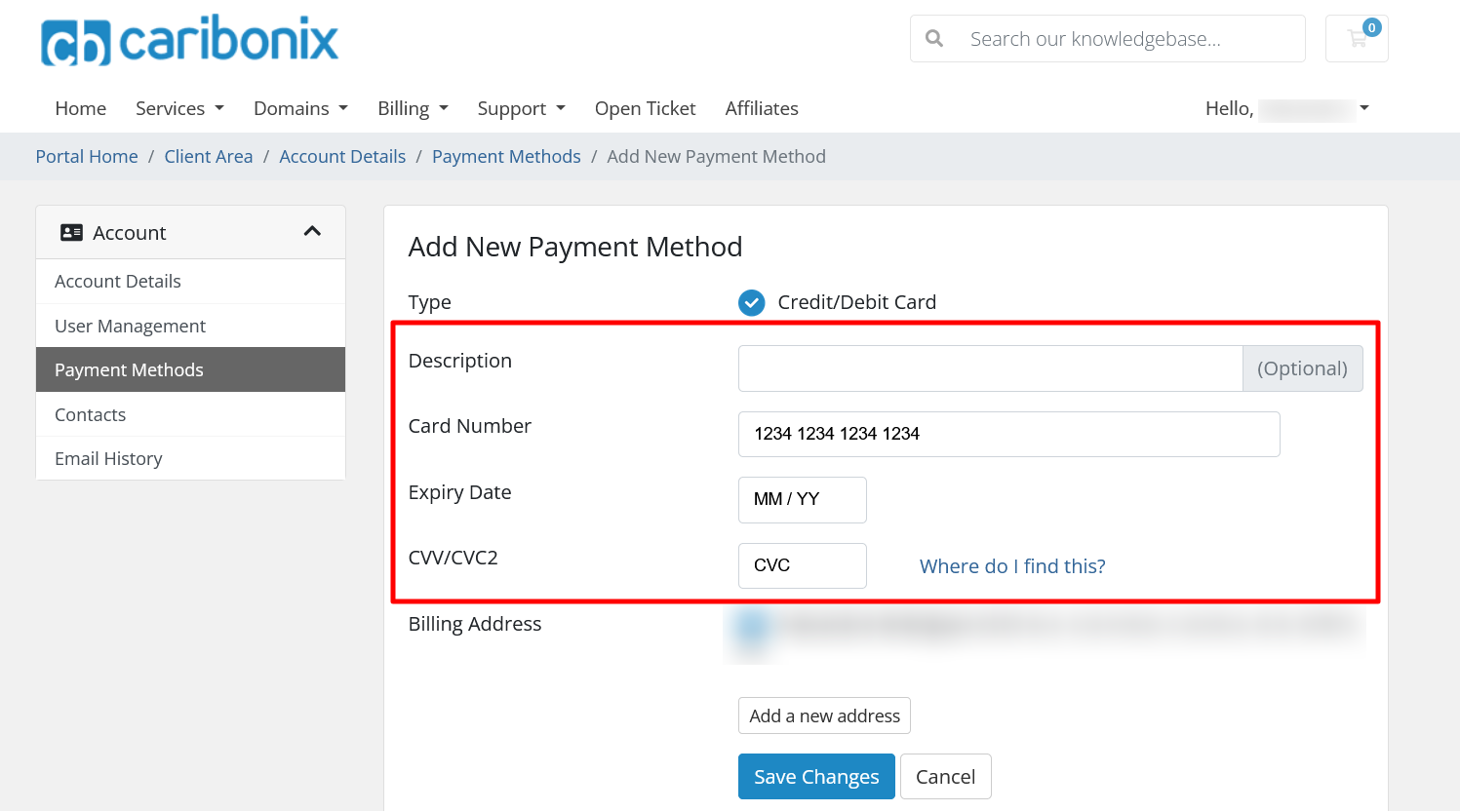
Step 4: Enter Your Card Details
Fill in the required information:
- Description (Optional):
Add a label (e.g., “Business Card” or “Personal Visa”) to help you identify the card later. - Card Number (Required):
Enter your card number exactly as shown on your card. - Expiry Date (Required):
Enter the expiration date. - CVV/CVC2 (Required):
Enter the security code on your card.
Step 5: Confirm or Update Billing Address
Your billing address will automatically be filled using the details from your Caribonix account.
- If the address is correct → no action needed
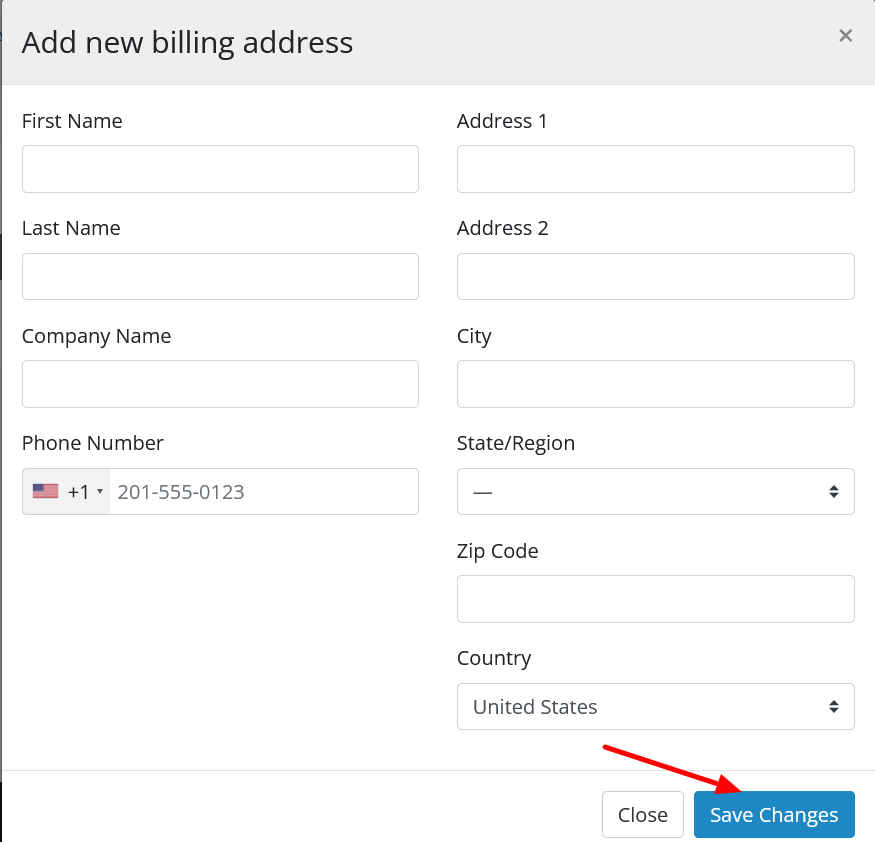
- If different → click “Add a new address.”
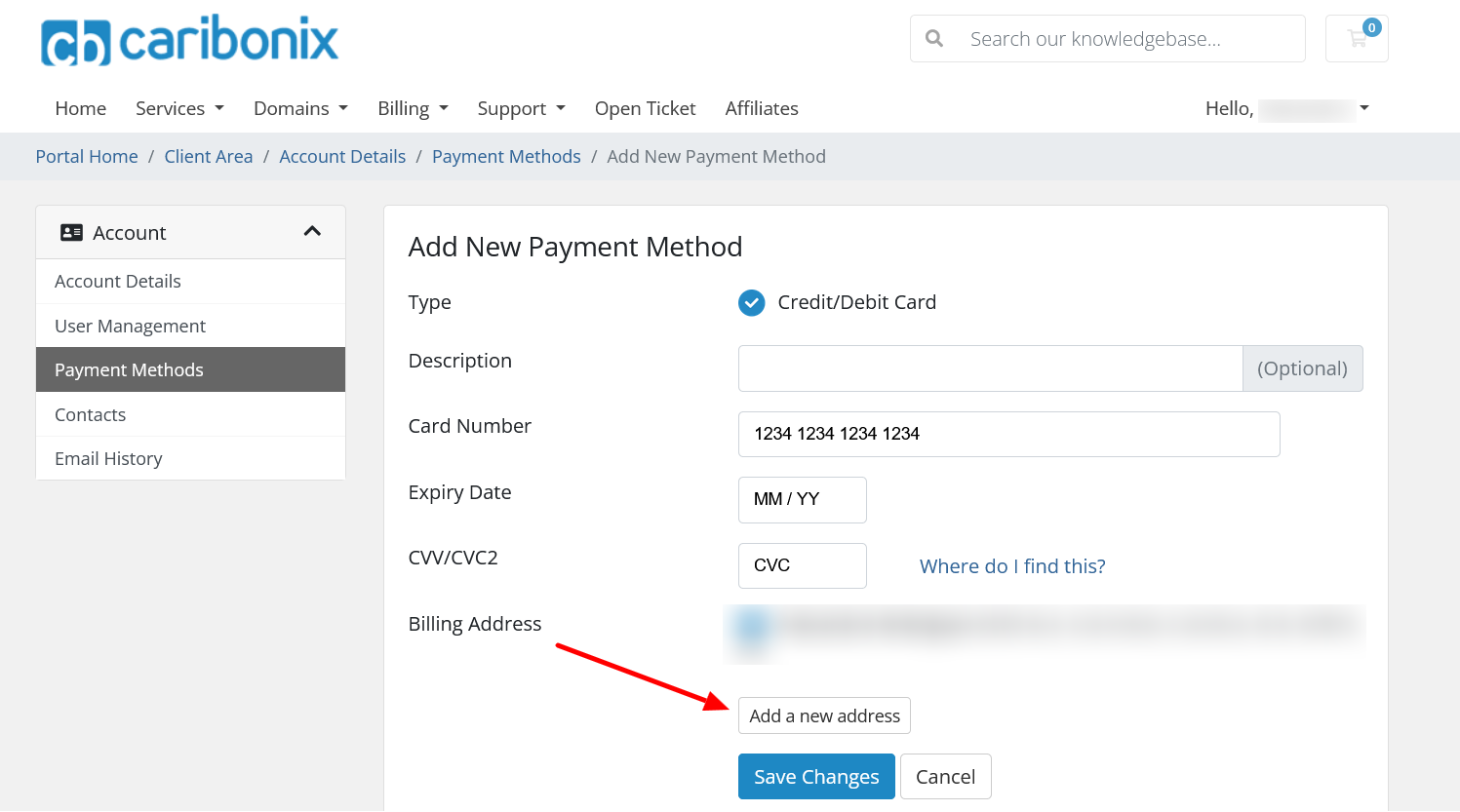
A pop-up will appear where you can enter your updated billing details.
- All billing fields are required when adding a new address.
- Click the “Save Changes” button once complete.
Step 6: Save Your Payment Method
Once all information is complete:
- Click the “Save Changes” button
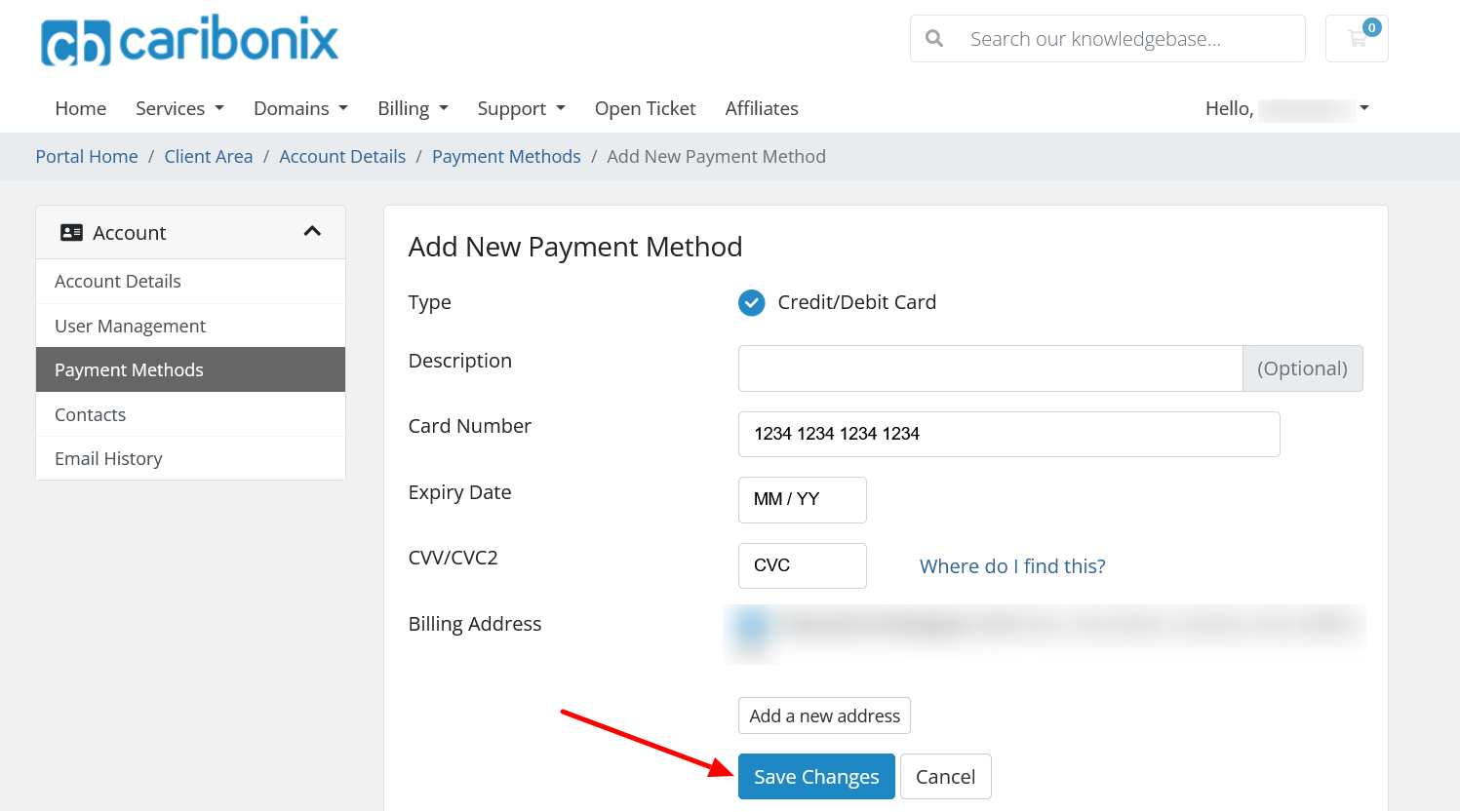
Your new card will now be securely saved and available for future payments.
Important Notes
- Your card details are securely stored with Stripe, not on Caribonix servers
- You can add multiple payment methods if needed
- You can manage or remove saved cards anytime from the Payment Methods page
Learn how to make a credit/debit card payment on an invoice.
Troubleshooting
If you encounter any issues while making a payment:
- Take a screenshot of the error
- Contact our support team for assistance
By following these steps, you’ll be able to quickly and securely add a new payment method to your account and streamline your billing experience.