
How to Make a Credit/Debit Card Payment
Caribonix uses Stripe to securely process all credit and debit card payments. Follow the steps below to quickly and safely pay your invoice.
Step 1: Log in to Your Account
Sign in to your Caribonix Client Billing Area using your login credentials.
Step 2: Select the Payment Method
- Open the invoice you want to pay
- Under Payment Method, select Credit/Debit Card (if not already selected)
- Click the “Pay Now” button
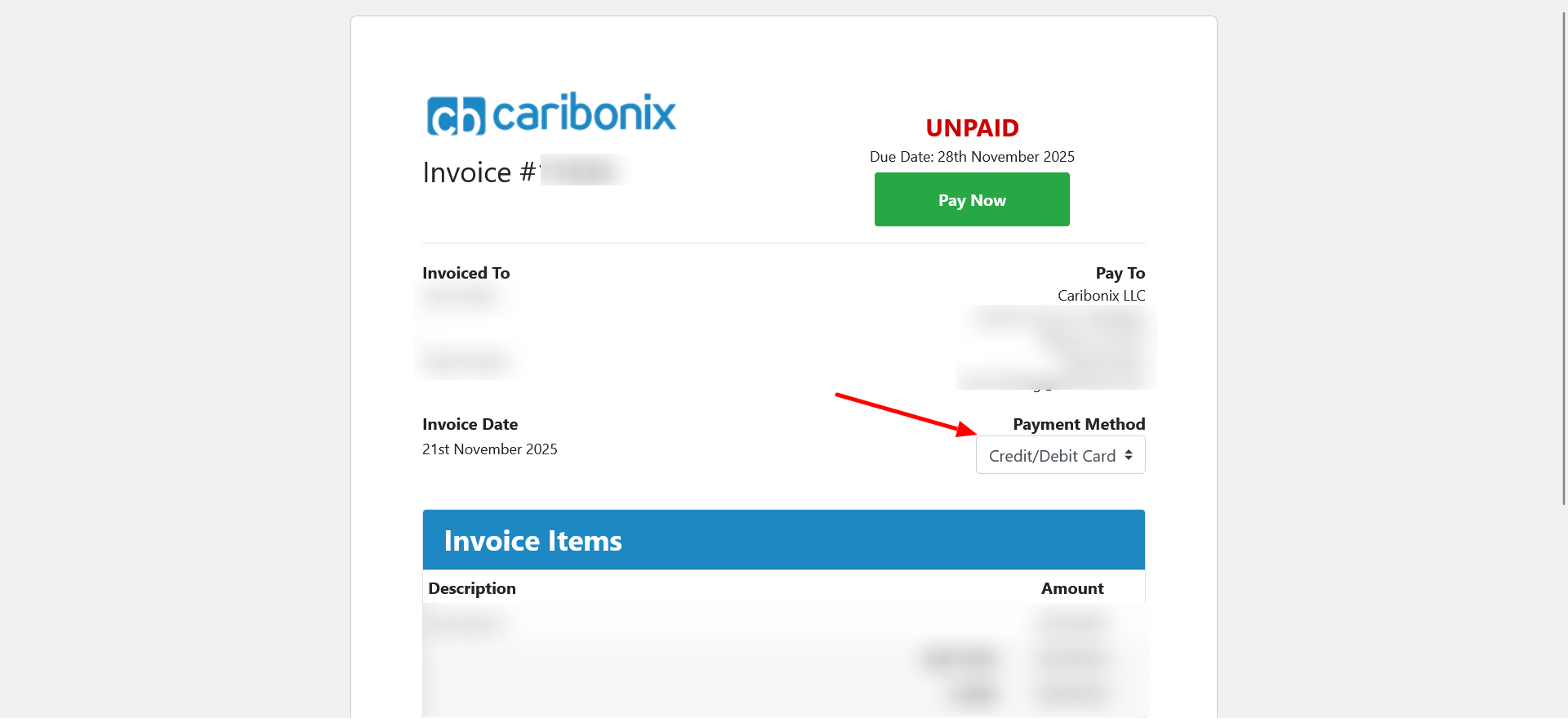
This will take you to the Make Payment page.
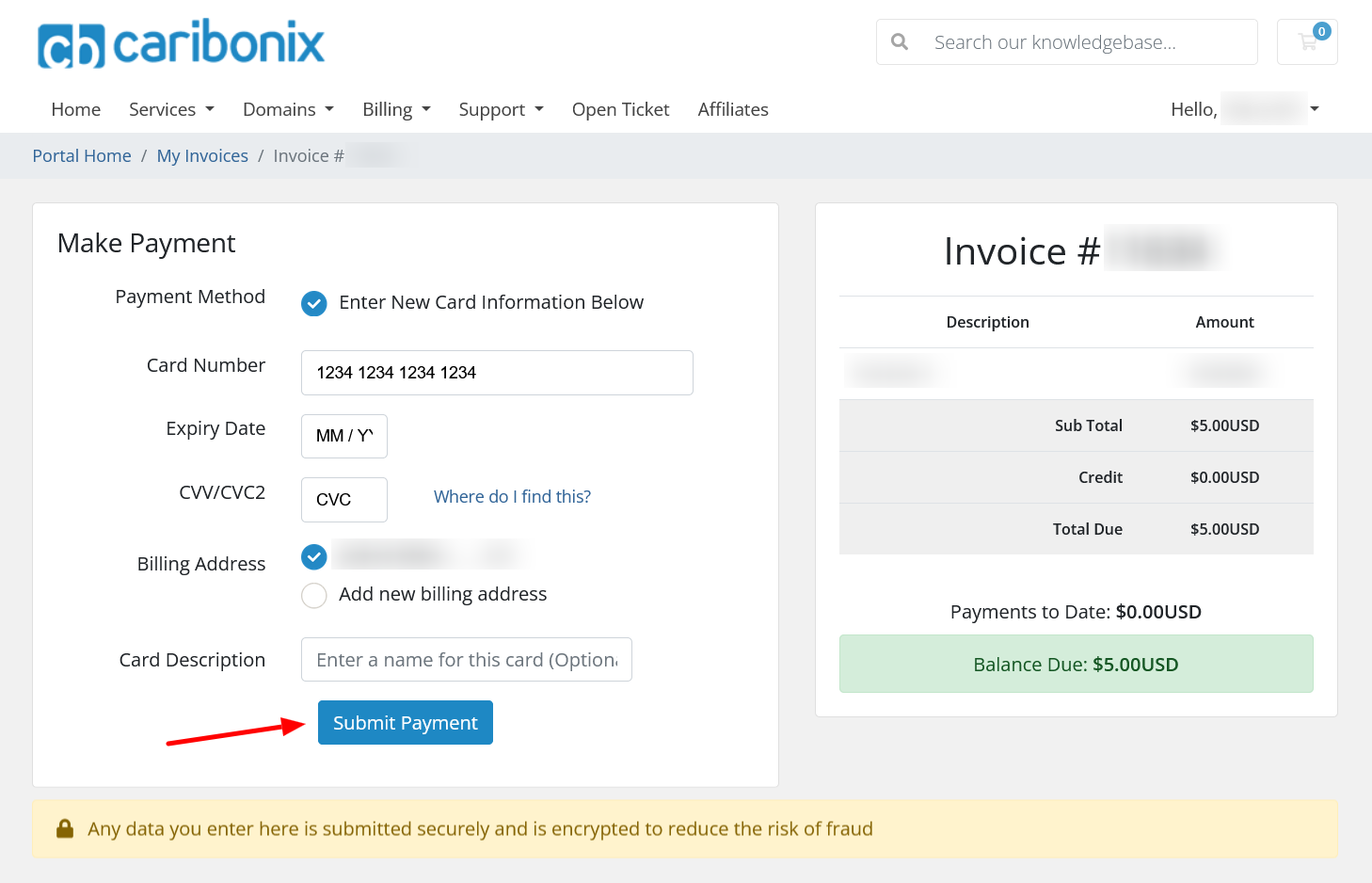
Step 3: Enter Your Card Details
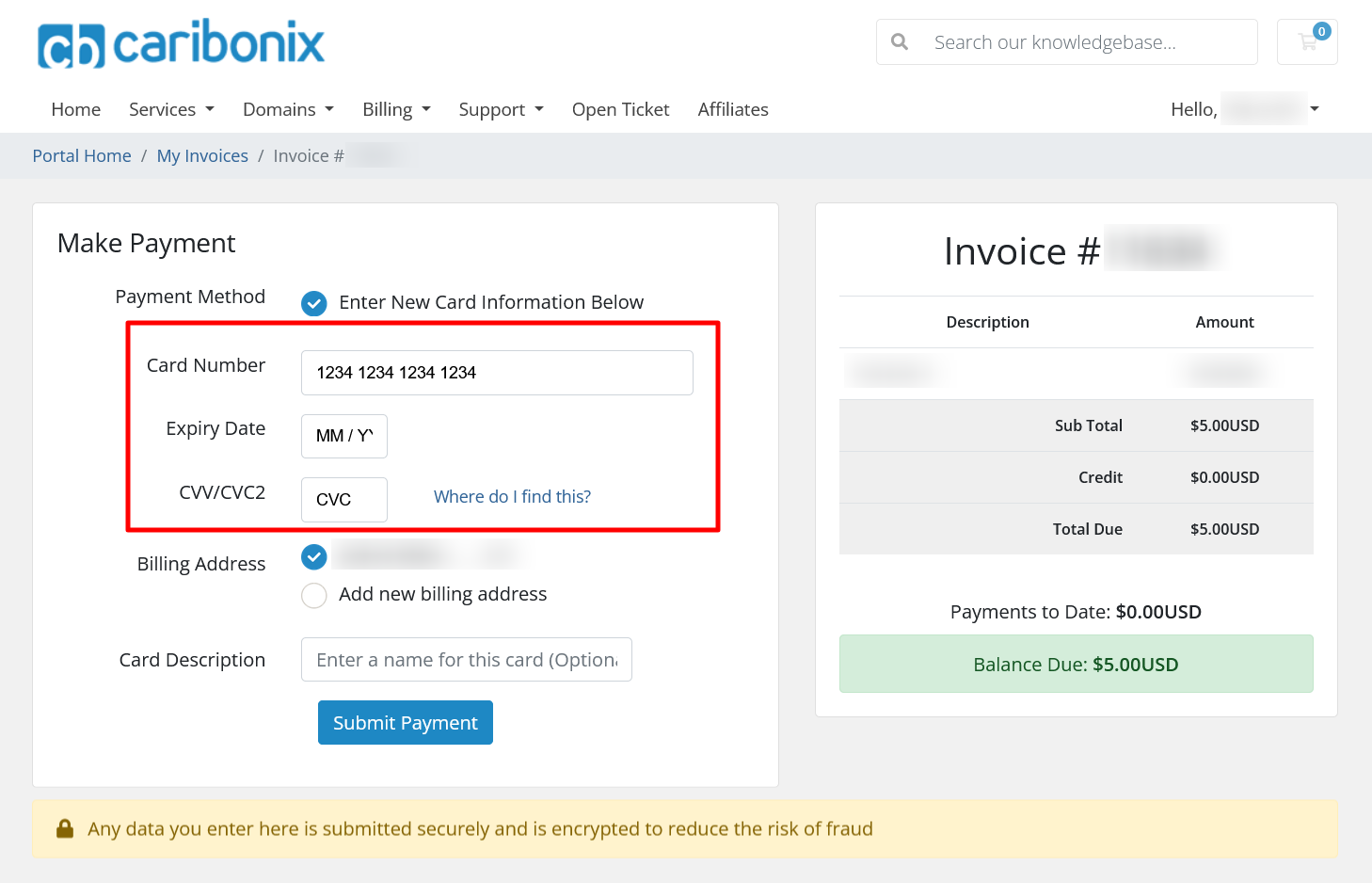
On the Make Payment page, complete the following fields:
- Card Number (Required):
Enter your card number exactly as shown on your card - Expiry Date (Required):
Enter the expiration date - CVV/CVC2 (Required):
Enter the security code from your card - Description (Optional):
Add a label (e.g., Business Card or Personal Visa) to help identify the card for future use
Step 4: Confirm or Update Billing Address
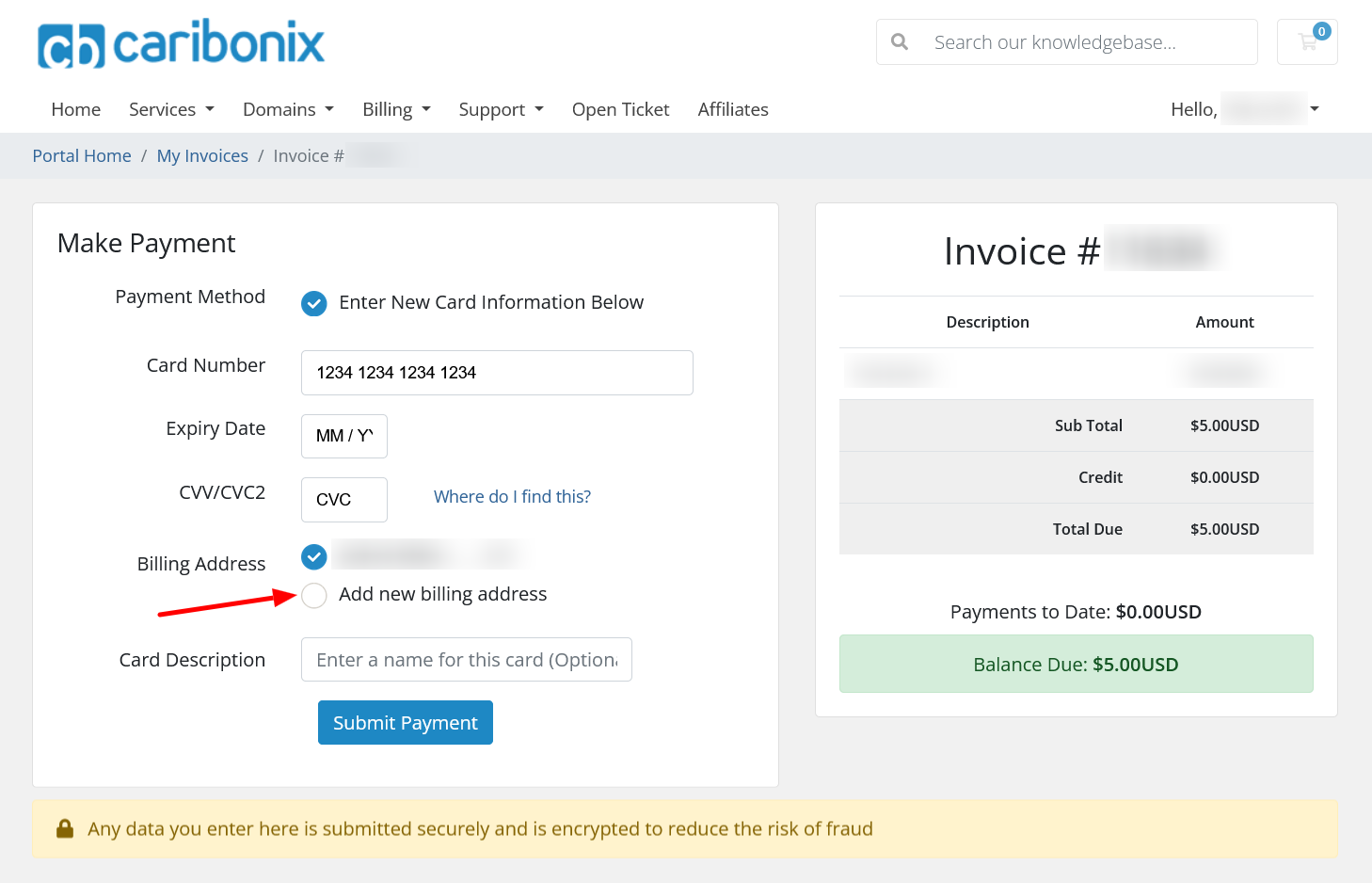
Your billing address will automatically be filled using your Caribonix account details.
- If the address is correct → no action needed
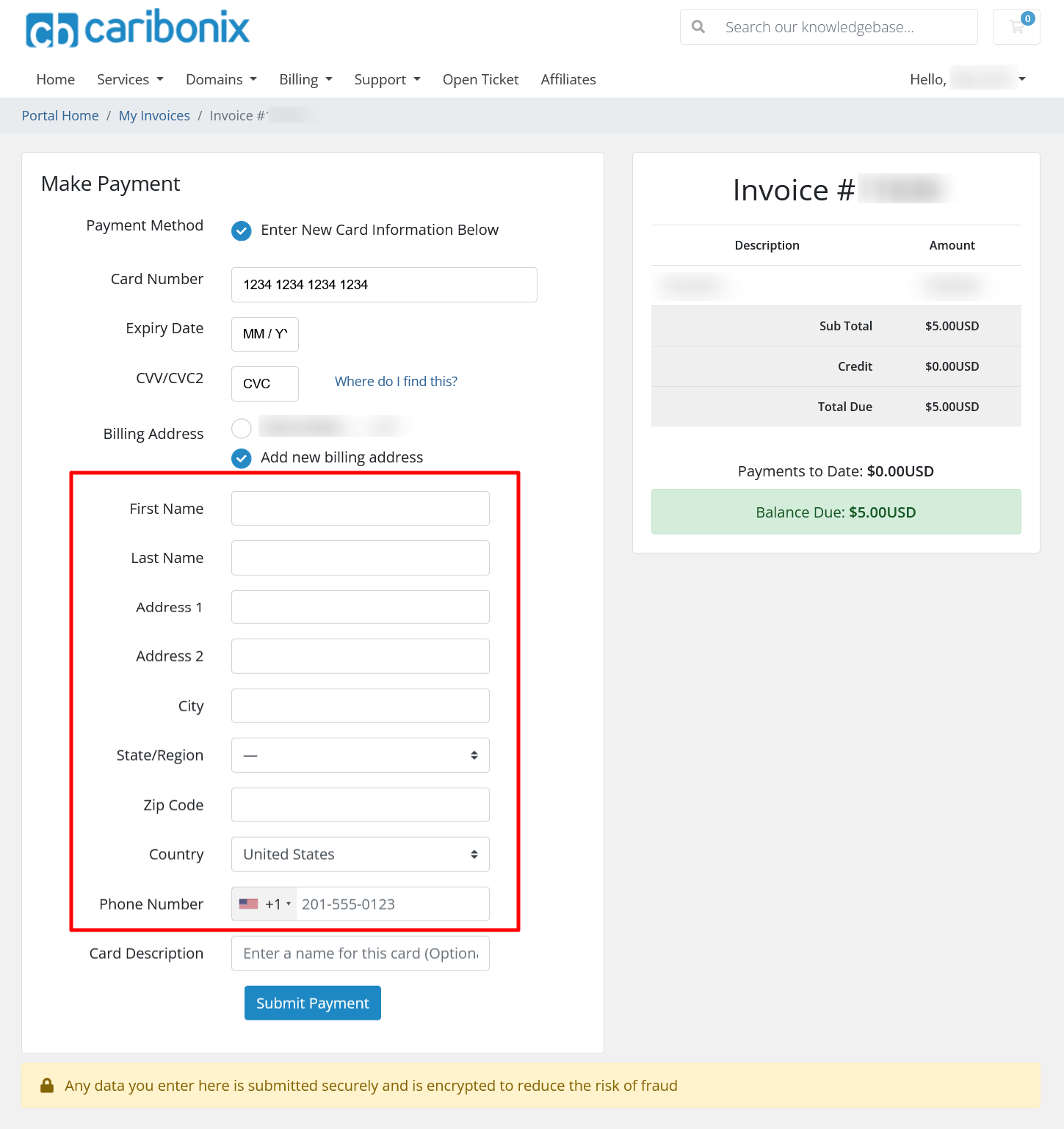
- If the address is different → click “Add a new address” and enter the correct details
Step 5: Complete Your Payment
Once all information is entered:
- Click the “Submit Payment” button
Your payment will be processed securely.
What Happens Next
- Your payment will be applied to the invoice
- Your card details may be securely saved for future payments (if applicable)
- You’ll be able to reuse this card for faster checkout next time
Important Notes
- All payments are securely processed by Stripe
- Caribonix does not store your card details on its servers
- You can add multiple payment methods to your account
- You can manage or remove saved cards anytime from the Payment Methods page
Tip
Want to save time on future payments?
You can add your card to billing settings by setting up a saved payment method in your account.
Troubleshooting
If you encounter any issues while making a payment:
- Take a screenshot of the error
- Contact our support team for assistance
By following these steps, you can easily and securely complete your invoice payments using your credit or debit card.